
Microsoft Copilot Chat
Here you can read about how to use KTH’s licensed version of Microsoft Copilot Chat, a web-based AI assistant. You will also find frequently asked questions and answers, as well as safety information.
As an employee or student at KTH, you have access to Microsoft Copilot Chat, which offers better information security
than the free consumer version.
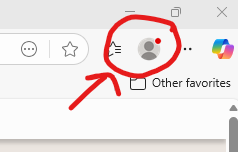
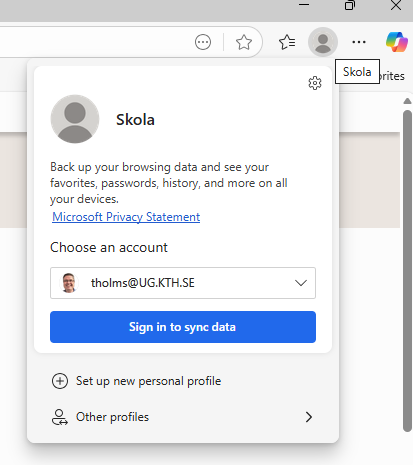
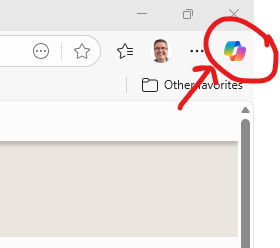
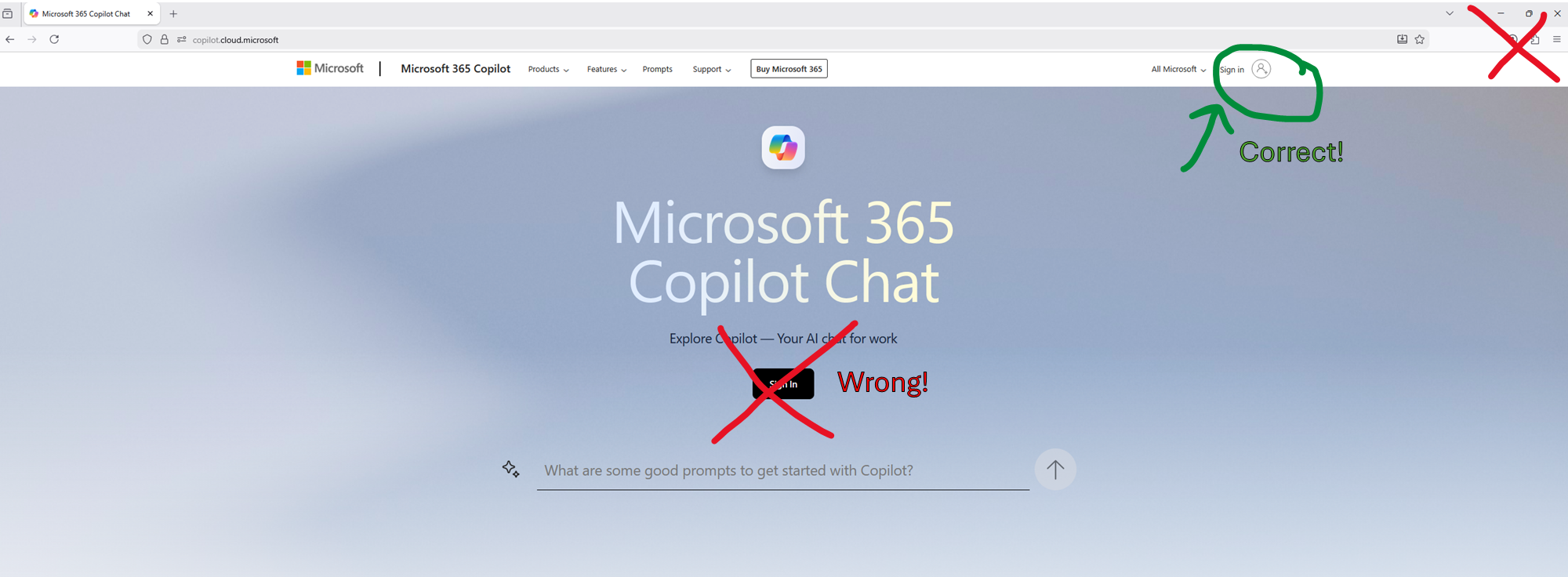
If you use the Edge browser, Copilot Chat is already built in, but you can of course use it in other browsers such as Google Chrome, Mozilla Firefox or Safari by following a different method. See the instructions on this page.
For those who teach at KTH, you will find more information on the page Generative AI in Higher Education.
How can I use Copilot Chat?
Copilot Chat is a powerful tool that helps you work smarter and more efficiently. It makes it easy to ask questions, get
quick answers, and create content directly within the conversation.
You can, for example:
- Summarise content
- Write and edit text
- Upload documents and images for processing
- Generate and edit images
- Idea generation
- Data analysis and visualisation
- Translation and language support
- Planning and structuring
- Ask for facts and knowledge
- Generate code, create templates and perform calculations
Security and Important Considerations
AI must not be used without human review by qualified individuals who take legal, ethical and societal aspects into account. Its use should be transparent and comply with applicable laws and guidelines.
An important difference compared to general language models is that Microsoft Copilot Chat is tailored for businesses and universities. When you sign in to the browser with your KTH account, a green shield appears in the Copilot Chat window with the text “Enterprise data protection applies to this chat”, which means the following:
- Data is transmitted securely to Microsoft’s servers.
- Input data is deleted after being cached during the session.
- Data is not used to train the language model.
- Plugins cannot be used (to prevent data leakage).
- The service cannot be connected to an API.
- It is not permitted to share personal data, sensitive or confidential material in this type of cloud service.