Data governance with Power BI
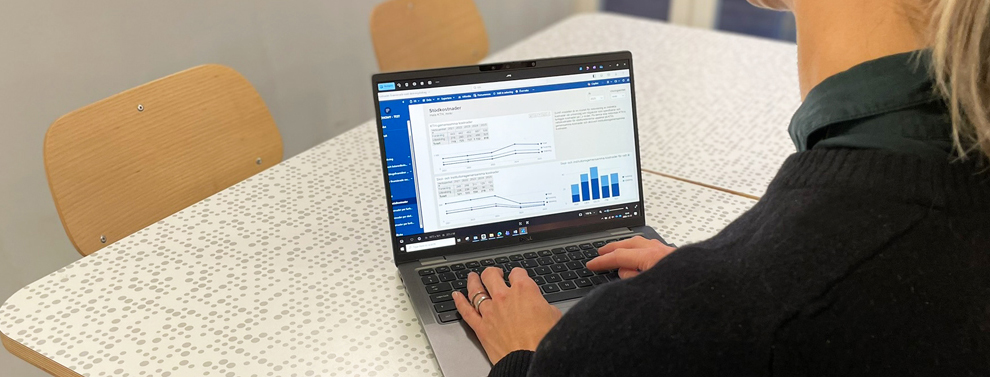
At KTH, we use Power BI as a tool for data management and decision support. Here, as a leader or project leader, you can find the reports relevant to you and deepen your analysis. More reports will be developed during 2026 to include, for example, HR data and educational data.
KTH uses Fabric and Power BI to support data‑driven operational development. Employees have access to reports directly in the system. Data is aggregated from various sources and compiled in one place, enabling you to focus on what you need – and make quality-assured decisions. Initially, the reports available are those previously found in VIS, but new reports will gradually be developed within the Data Governance project.
Tip! Create bookmarks and set up “subscriptions” to receive reminders when new data becomes available. Previous email distributions with PDFs will be discontinued.
Portals available in KTH’s Power BI
- Finance Portal:
- Leadership Finance Report – available from March 2026
- Project Leader Report – available from March 2026 and further developed throughout the year
- Education Portal:
- HST/HPR Report – available from February 2026
- Ladok data will be integrated during spring 2026
- HR Portal: HR data is available, and reports will be developed during spring 2026
- Sustainability Portal: Under development in 2026
Reports for you
Managers and leaders
Finance reports will no longer be distributed as before; instead, they are available in Power BI so you can access them at any time and deepen your analysis.
Talk to your school controller or operational finance officer to get help getting started and setting up your personal preferences:
- Departmental Support ABE
- Departmental Support SCI
- Departmental Support CBH
- Departmental Support EECS
- Departmental Support ITM
- Finance VS
If you have questions about the Finance Portal or lack access, contact
controller@kth.se
Education leaders or controllers
The HST/HPR report is available in Power BI as part of the Education Support Portal. It is updated with new data every night. Ladok is the next data source to be integrated, giving you more information about current students.
In general, the Education Portal is available to GA, UA, controllers, and managers within Finance.
If you have questions about the Education Portal or lack access, please contact
katjon@kth.se
or
fhamm@kth.se
Project leaders in the faculty
The Project Leader Report is already available in Power BI and resembles the previous version in VIS. The potential of the new platform is substantial, and the report will be developed based on operational needs.
How would you like a future project leader report to look? Please contact
datastyrning@kth.se
, and you may have the opportunity to join the reference group.
Get started
- Go to the Finance Portal or the Education Portal via the link. Alternatively, log in at m365.cloud.microsoft, locate Power BI among the apps, and click on the portal you have access to.
- Select the report you want to view.
- Explore, filter, and pivot the data.
- Create bookmarks for your favourite reports and set up “subscriptions” to receive reminders when new data becomes available or at a set interval.
- A user manual is available here and inside Power BI.