On this page you will find answers to the most common questions about KTH Account.
You can activate your KTH account with Mobile BankID or with activation code. Follow the instructions on
KTH Account
.
If you already have a username for your KTH account, but have forgotten or lost your password, or if you want to change your current KTH password, you will find information on
KTH Account
.
If you encounter problems in connection when trying to scan the QR code showing time-out error, try to complete the entire process on the device where you have Mobile BankID installed. You then choose the option Mobile BankID on this device instead.
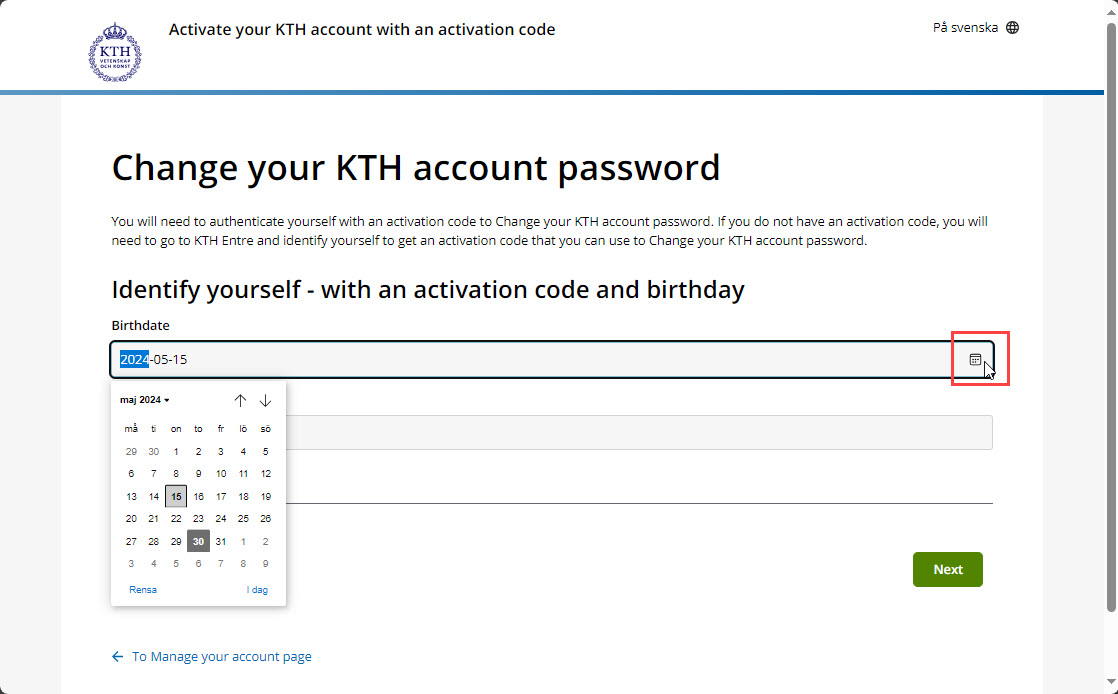
Be very careful to enter your date of birth in the exact correct format. Use the date picker.
Try completing the steps in another browser, preferably in a private (incognito) window.
Finally, check that it has not been more than 24 hours since the code was issued. If you are outside Sweden and thus in a different time zone, it may be necessary to temporarily change the local time in your device to Swedish time, UTC+1 during winter time and UTC+2 during summer time.
If you cannot log in with your new password, your KTH account may have been locked due to too many incorrect attempts. Make sure you've updated and entered the new password on all your devices, email programs, and calendar programs. Wait for 20 minutes and then try to log in again.
Once you have received confirmation that the information has been updated, a new attempt with Mobile BankID can be made.
If you can't log in to submit the form, please send an e-mail to
it-support@kth.se
.
For every KTH Account, an e-mail account is created. Standard format of e-mail addresses are username@kth.se.
The e-mail is reached either by web at
webmail.kth.se
, or by using an e-mail client. Settings for the most common e-mail clients can be found on the page
E-mail
.
Please note that KTH IT-Support does not give support on external e-mail systems.
A KTH Account is created and generated in the central user database, mainly based on two sources of information: study documentation about students (Ladok) and staff registration (HR+).
Creating accounts manually is only performed as an exception, for people with KTH connection that need the resource without existing as a student in Ladok or employed by KTH in HR+. A responsible person at a school, department or equal need to order the account before it is created.
Why did I get this username?
Usernames are automatically chosen by the system when imported from the source systems. The system then create a non-existing username between 2 and 8 characters in length based on the user's first- and/or family name. If no such combination is available, digits might be included in the username.
Can I change my KTH username?
Changing username is only permitted by exception. Other systems using the content of the users' database are no updated automatically, hence the user might end up with undesired problems.
Exceptions taken into account:
if the username is offensive (for instance if it resembles a curse in some language and such)
if the name the username was based on changes
if the username was based on a misspelled name
A user can not change their username by themselves and need to
Contact KTH IT-Support
for assistance.
Personal information in the user database is mainly your full name and social security number. Social security number is for restricted use, such as identification when retrieving a new KTH password. Most of the systems use the individual, unique KTH-ID to identify the user. In the user database there is also information about group affiliations, mainly according to Ladok (courses and study program) and staff registry database (institutions and units), manually administered groups also exist.
You cannot change your name directly in KTH’s user database. The name is automatically retrieved from other systems.
If you are a student, you need to update your name with the Swedish Tax Agency (Skatteverket). The change will then be transferred to Ladok, and from there to the user database. If you do not have a Swedish personal identity number, please contact
studentdata@kth.se
for assistance.
If you are an employee, update your name with the Swedish Tax Agency (Skatteverket). When KTH-HR is updated with the new information, the change will automatically be transferred to the user database. Contact the HR department to make sure the information in KTH-HR is correct.
If you have a manually created account (not connected to Ladok or KTH-HR), please contact KTH IT Support for help updating your details.
The change will appear in the user database once the systems have been synchronised, which may take a few days.
Your KTH-ID is a unique identifier in the central user database, KTH-ID is implemented for fewer implementations depending on social security numbers. Social security numbers are unsuitable to use due to restrictions, they can be changed, and some people also lack social security number (for instance foreign guests). A user does not have to memorize the KTH-ID, the username and password work just fine.