
Digital reference checks via Refensa
How to order a digital reference check in Varbi
Refensa is a tool that enables reference checks to be conducted digitally and managed quickly and efficiently. To ensure quality and security, references must be obtained for all candidates we hire. The recommendation is to only conduct reference checks on the final candidate(s), and at least two references should be collected (preferably from individuals in supervisory roles, such as team leaders, coordinators, managers, or supervisors). If needed, the digital reference check can be supplemented with phone calls.
Activating Refensa
Refensa can be activated when a recruitment case is initiated or later during the recruitment process. If you use competence-based recruitment, reference-check questions will automatically be generated based on the competencies added in Step 1, “Initiation.”
Under “2. Edit”, activate digital reference checking by clicking “Refensa” and then “Activate Refensa.”
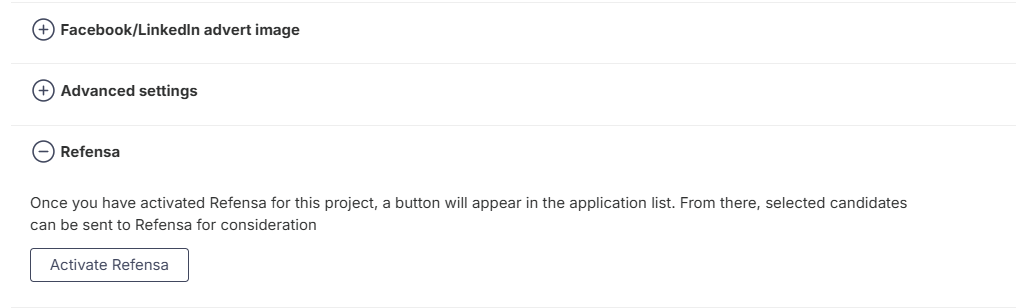
You will then be given options to customize the reference-check process. Select the number of references to be collected; typically, we request two to three references. Then choose the reference template applicable to the recruitment case and click Save.
Ordering a Reference Check
When it is time to proceed with reference checking for the candidate being considered for employment, select the candidate’s name and choose “Digital Reference Check → Refensa.” To do this, you must have the access-level “Communicate with Candidates.”
In the next step, a request is sent to the candidate informing them that you have asked them to provide reference contacts. You will receive an email prompting you to create a Refensa account so that you can monitor and manage the reference-check process.
In Varbi, the candidate’s status will now be updated to “Digital Reference Check.”
The candidate will receive an email requesting that they add their references. The references will then receive an email inviting them to participate in the digital reference check. Once the references have responded, the person who ordered the reference check will be notified that a reference report is available.
Receiving the Reference Report
When the references have been submitted, you can read the report by clicking the button under the Refensa heading, which indicates that the references have been received.

The person who ordered the reference check can select “Go to Dashboard” to access the full report with editing permissions. Users who have permission to read the report in Varbi can select “Go to Reference Report” to view a summary of the report (it cannot be downloaded or modified).
To read the report in Varbi, the user must have at least the “Communicate with Candidates” permission.
Verification Questions
When a candidate adds a reference, both the candidate and the referee will be asked to answer a number of verification questions. If a referee provides answers that differ from those given by the candidate, this will be marked with red triangles. In such cases, it may be advisable to follow up on these discrepancies.
Archiving Reference Checks
Reference-check documentation constitutes an official record and must therefore be archived for the candidate who is hired. The reference-check report for the successful candidate should be emailed to registrator@kth.se by the person who conducted the reference check.