Leave of Absence
Before you start
Review the
routine for leave of absence
before registering in KTH‑HR.
If you have questions about which type of leave of absence to apply for, please contact
HR at your school.
Step by step
1. Click on ”Add”

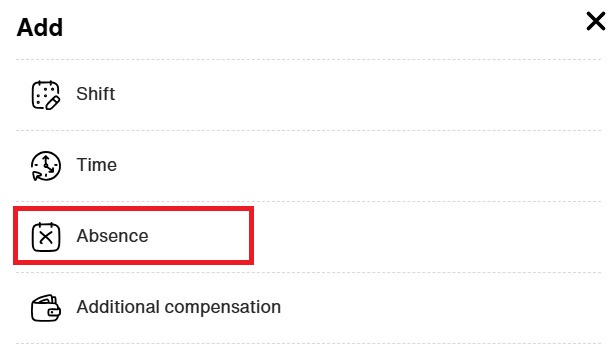
2. Choose ”Absence”
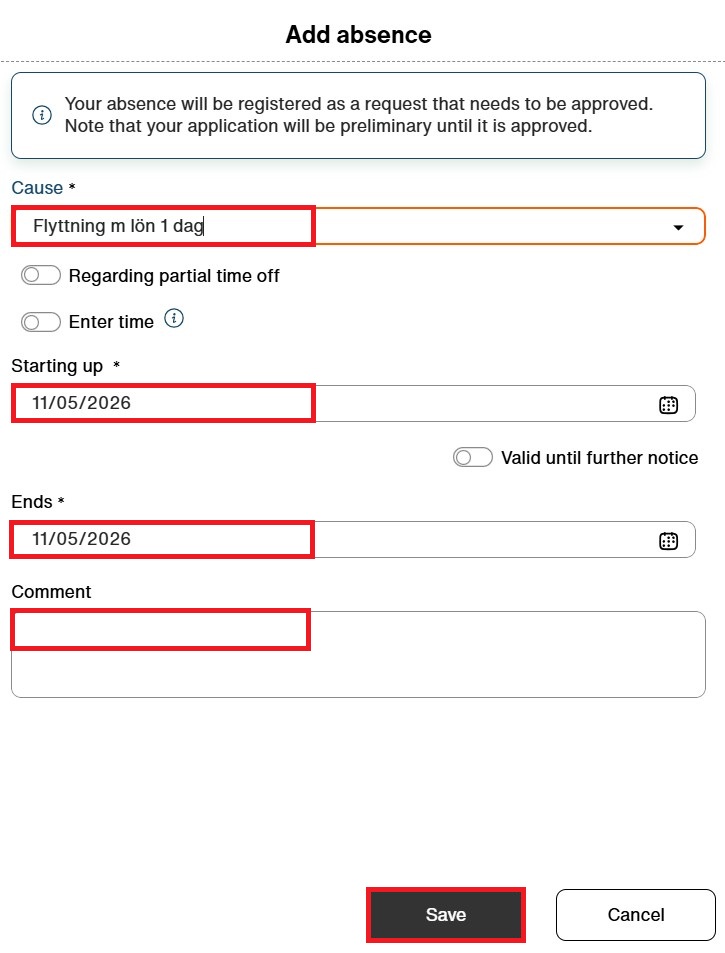
3. Select the appropriate type of leave of absence and enter the relevant dates. Add a comment if needed for the case (e.g. family matters (släktangelägenhet)). Click “Save”
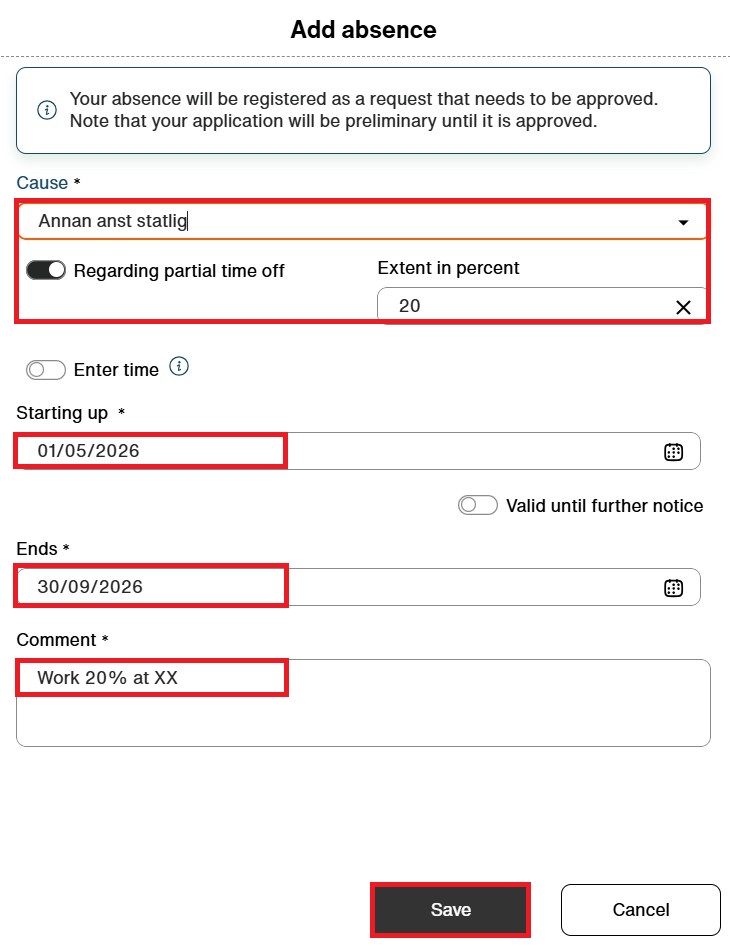
4. Select the appropriate type of leave of absence and tick “Regarding partial time off”. Enter the percentage of your absence. Specify the relevant dates and add a comment. Click “Save”